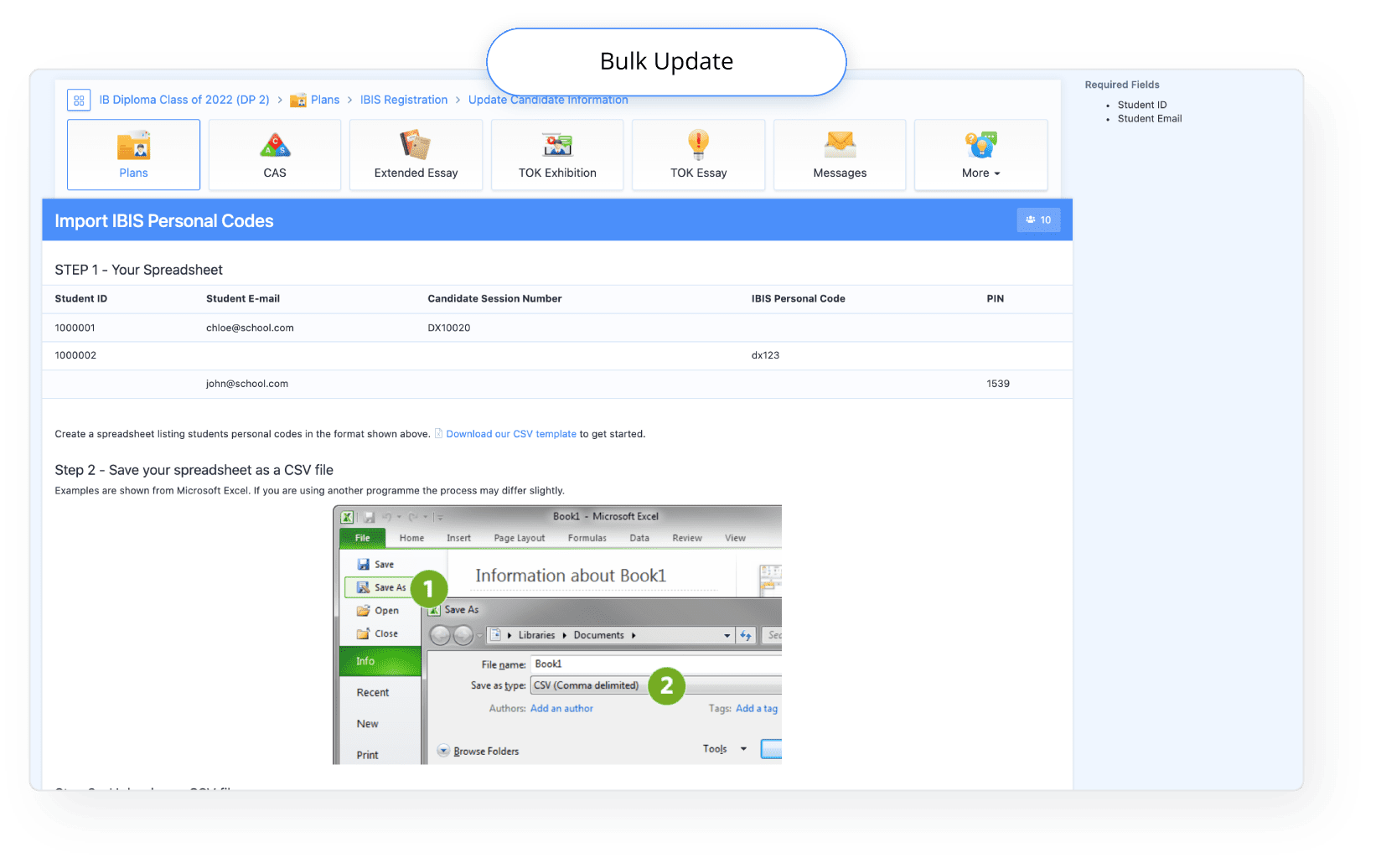
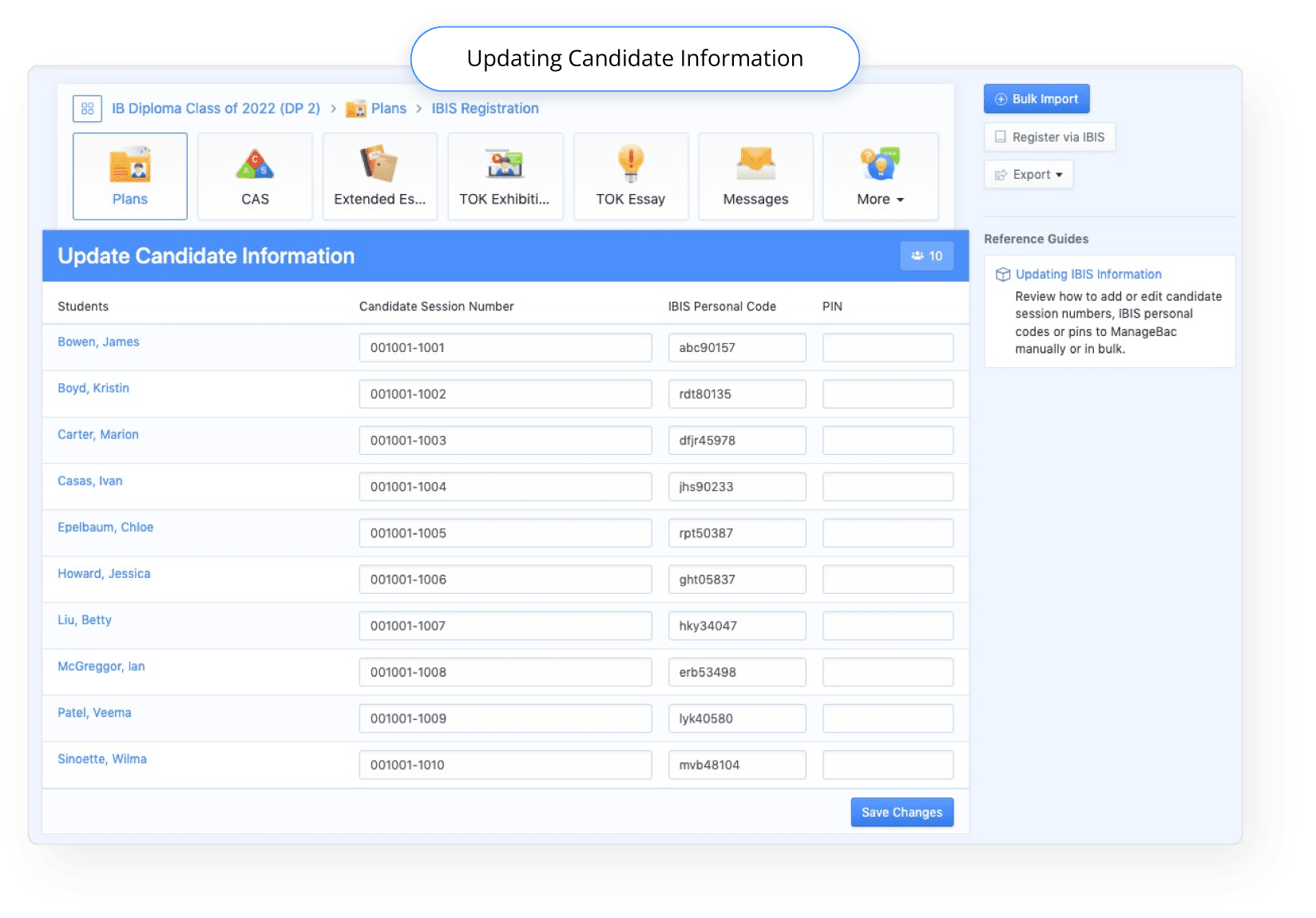
 If you wish to share PINs for Students, you can add them in manually or via bulk import. For further details, see our IBIS Registration Getting Started Guide
FAQs
We would like to learn how to register to IBIS via ManageBac for next exam session
To learn more about IBIS registration via ManageBac, please see our QuickStart guide, and stay tuned for webinars and online workshops on the topic via the ManageBac events page.Where can Teachers view IBIS Candidate Information in ManageBac?
Teachers will be able to view Candidate Information on a Students individual profile in the Exam Details section, and can navigate to their Plan Worksheet to view subject selections.Where can Students view their IBIS Candidate Information in ManageBac?
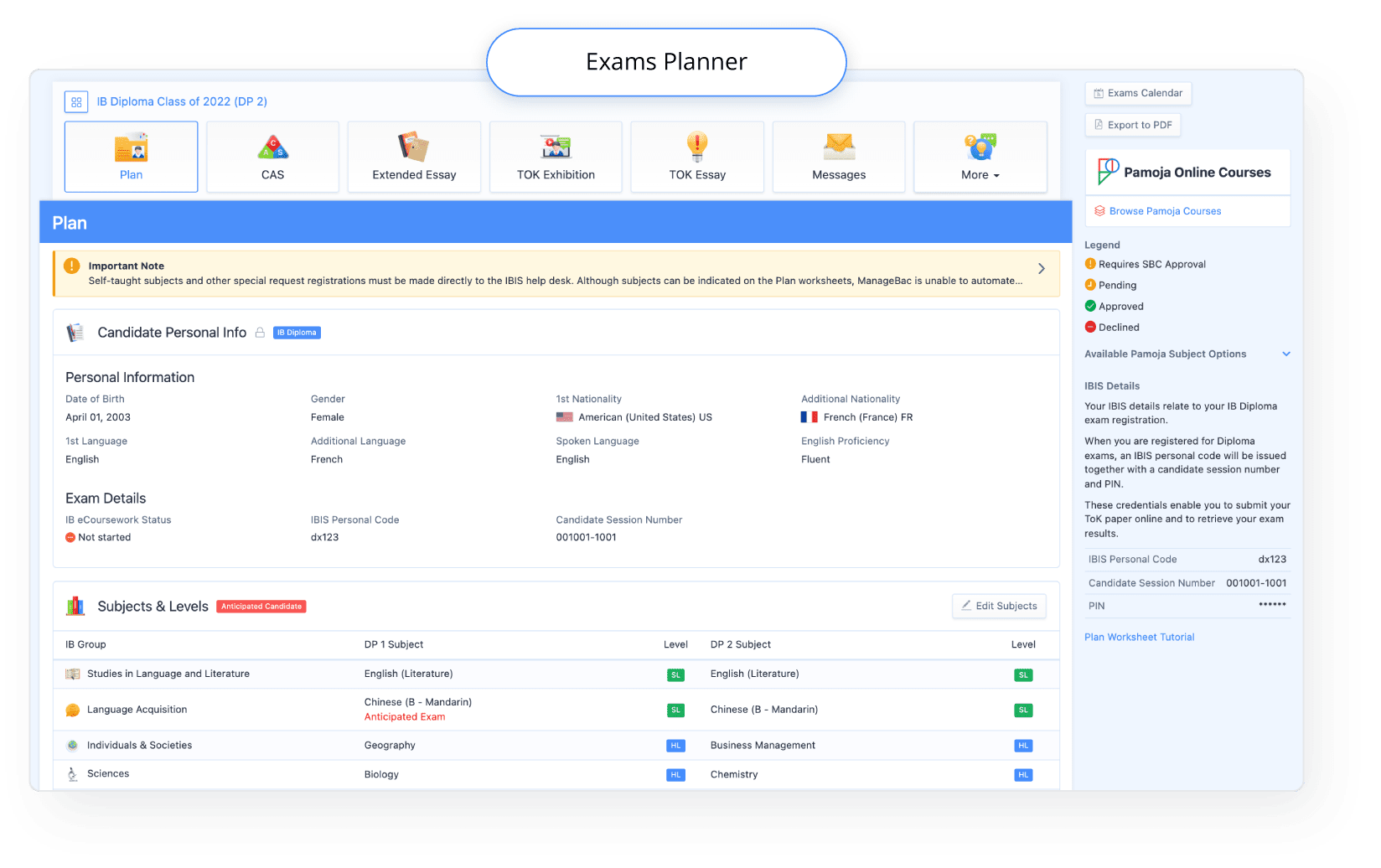
IB Diploma Students are able to view their Candidate Information via their Exams Planner in the left-hand menu. Under IBIS Details on the right-hand side, they will find their IBIS Personal Code, Candidate Session Number, and PIN (if added).
We didn’t register via ManageBac, how can we update the session numbers?
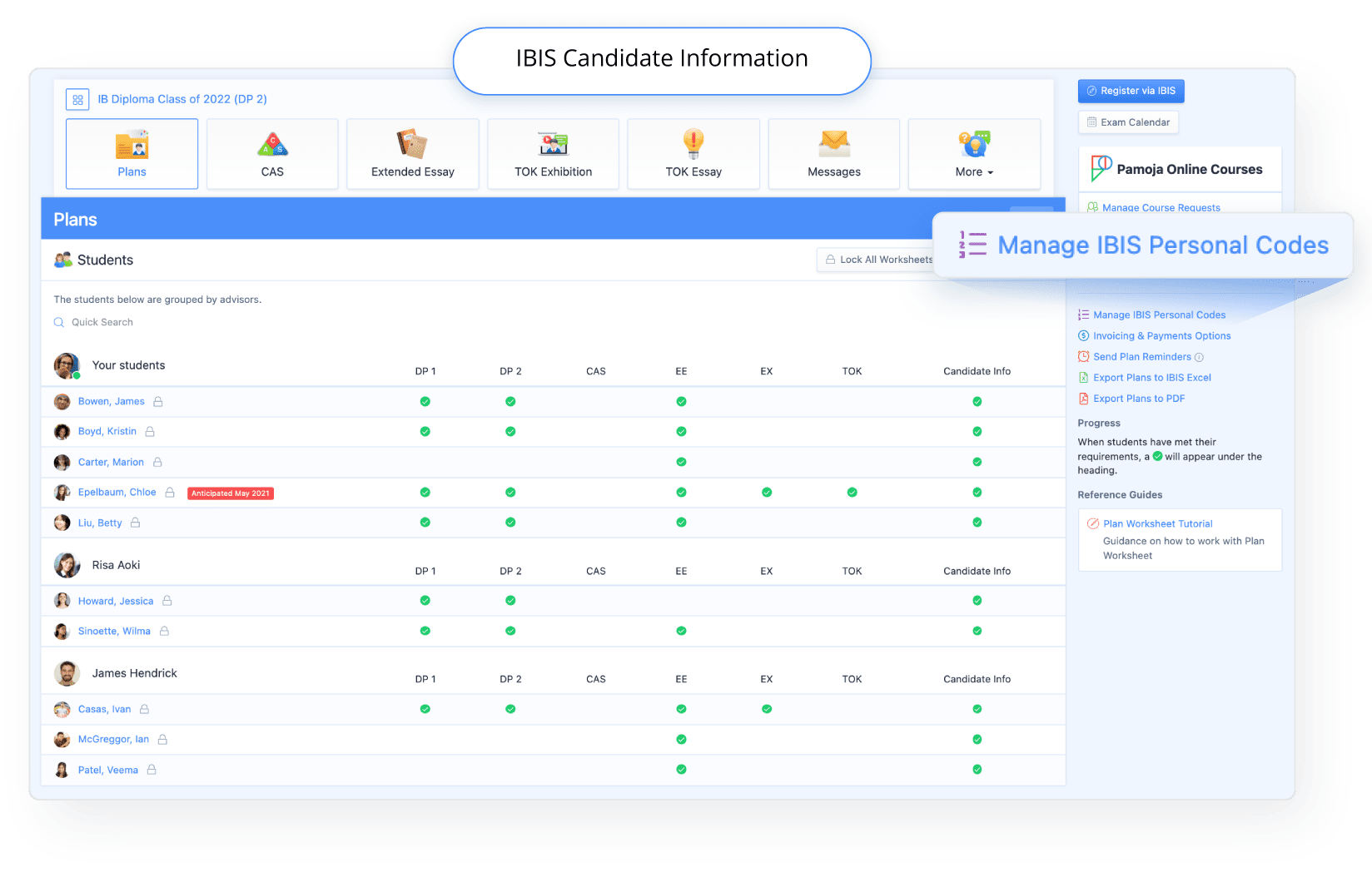
Via Plans > Manage IBIS Personal Codes, manually add or bulk import Candidate Session Numbers, IBIS Personal Codes and PINS (if desired) for your Students to access.