



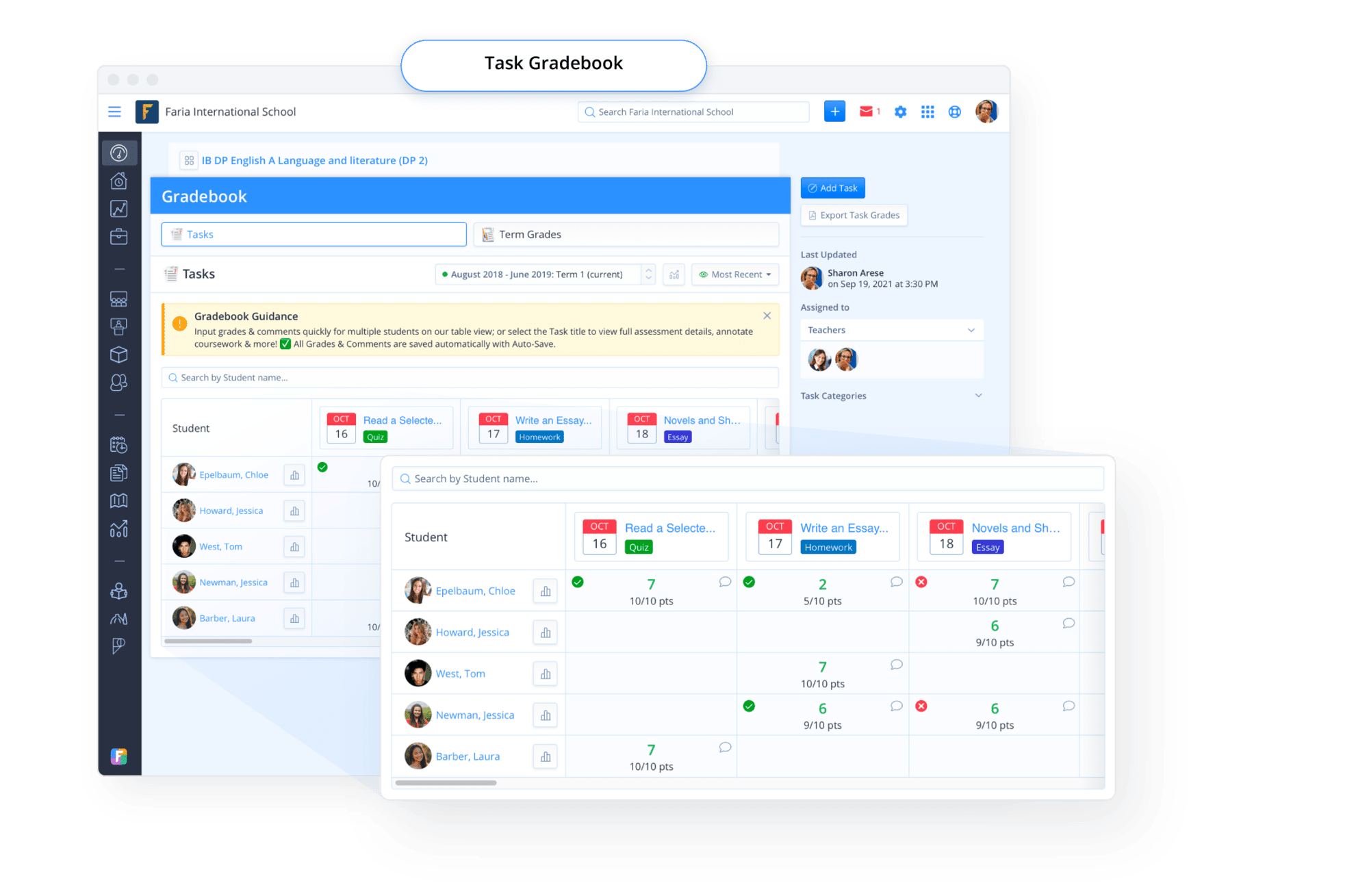
 Improved layout and shortcuts reduce clicks (e.g. ability to show & hide task results directly on the Gradebook vs. having to navigate back into the Task).
First for
Improved layout and shortcuts reduce clicks (e.g. ability to show & hide task results directly on the Gradebook vs. having to navigate back into the Task).
First for  Speed, you can mark Assessments faster than ever within our Table view with auto-save and embossed student list view. This assessment mode is ideal for short formatives and complete & incomplete (binary) tasks.
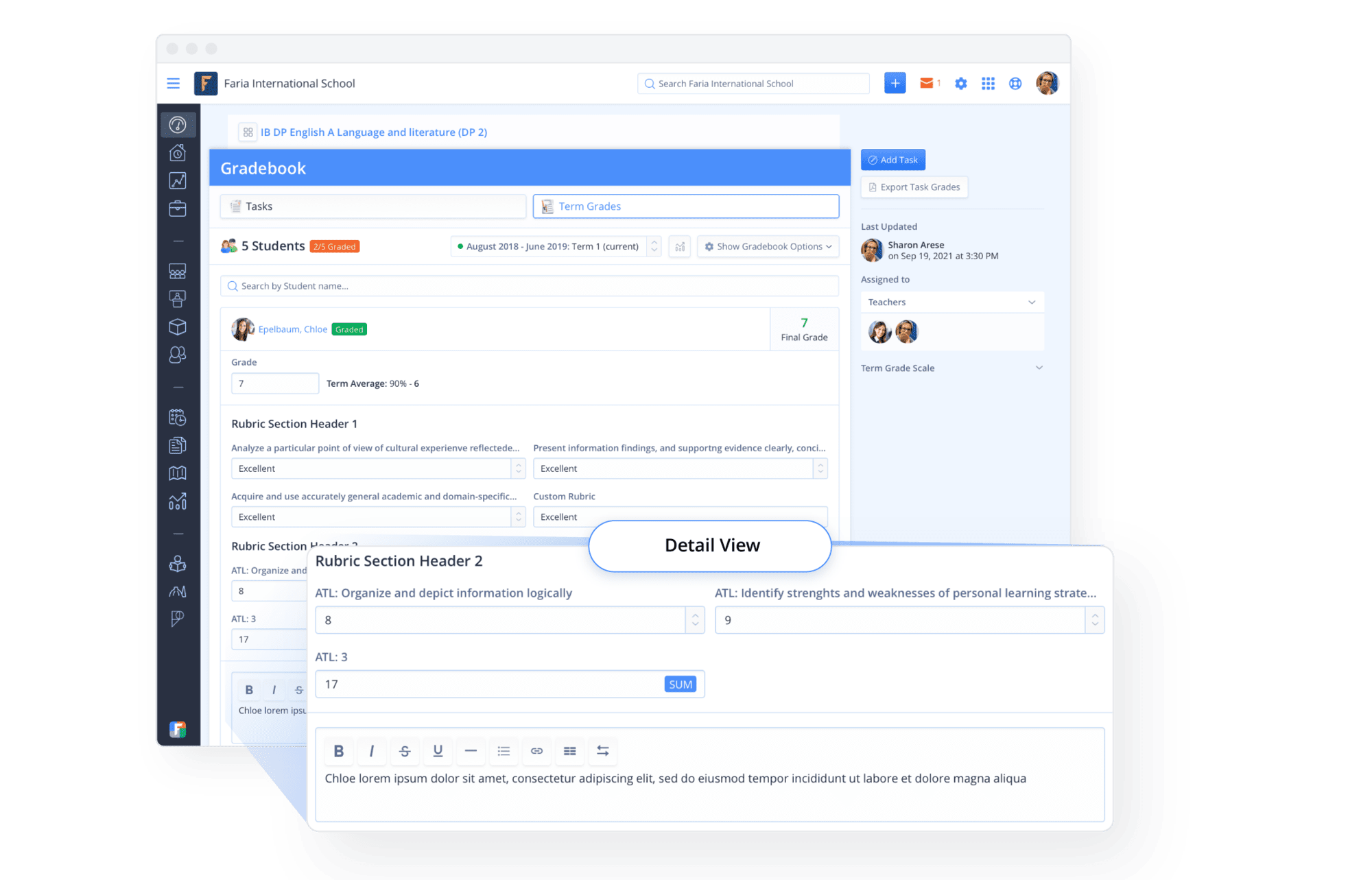
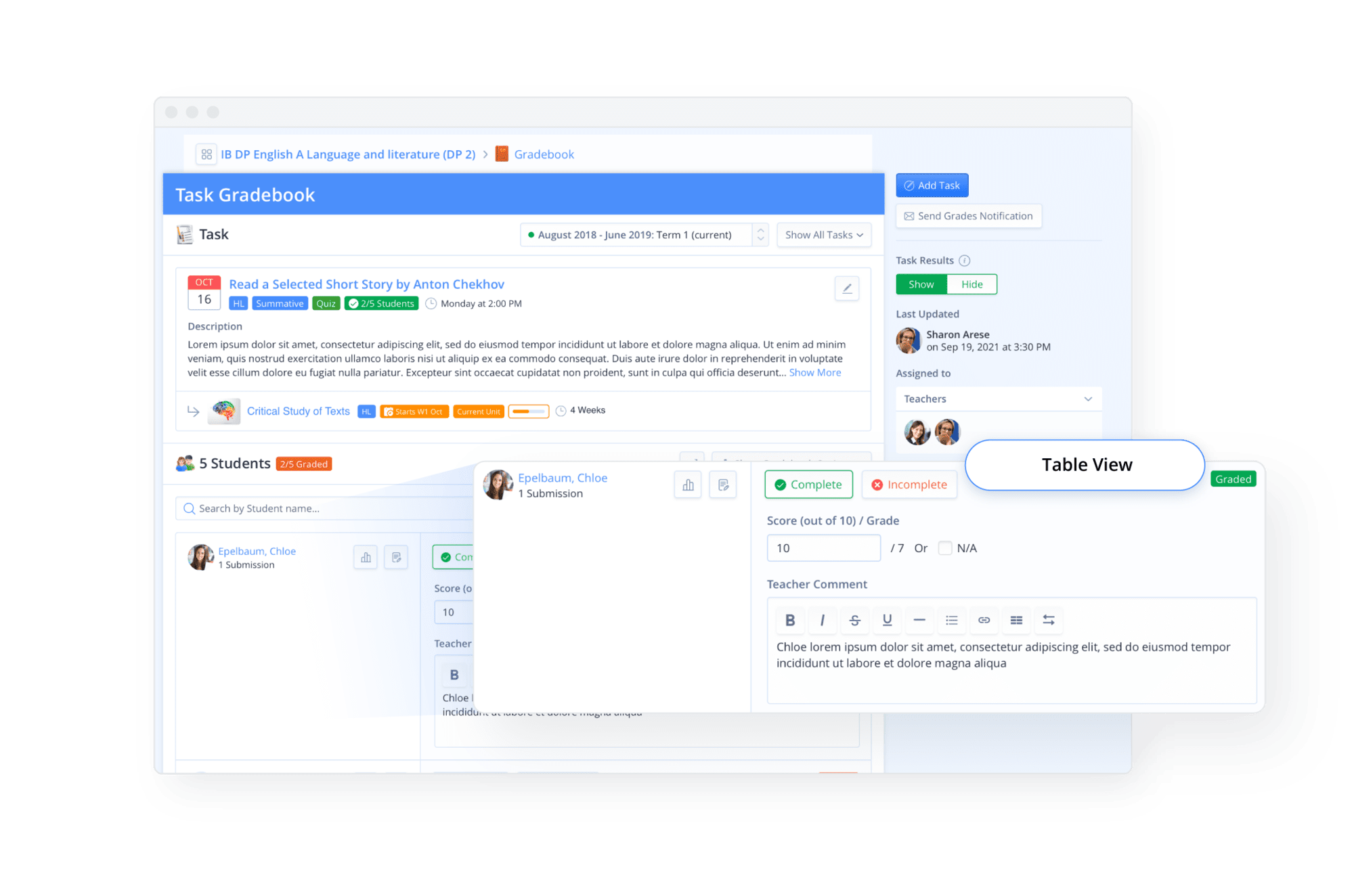 Second for Focus & Detail, you can concentrate on marking one assessment task, filtering out all others. This assessment mode is ideal for long-form commentary & summative assessment tasks.
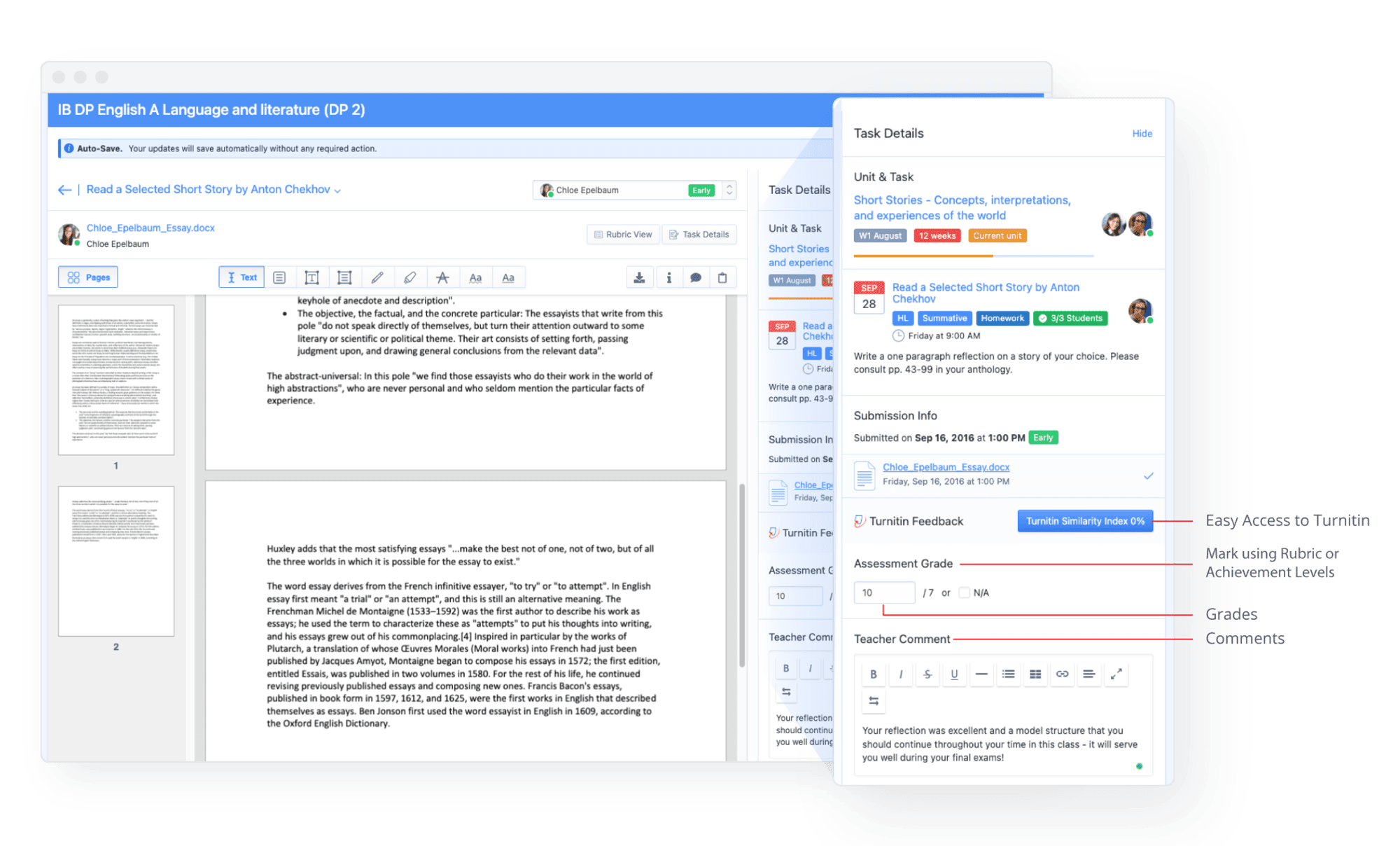
Third for marking up & annotating coursework submissions or AssessPrep Online Exams, you will find our Split-Screen Gradebook is now fully immersive with full-screen mode for maximum clarity.
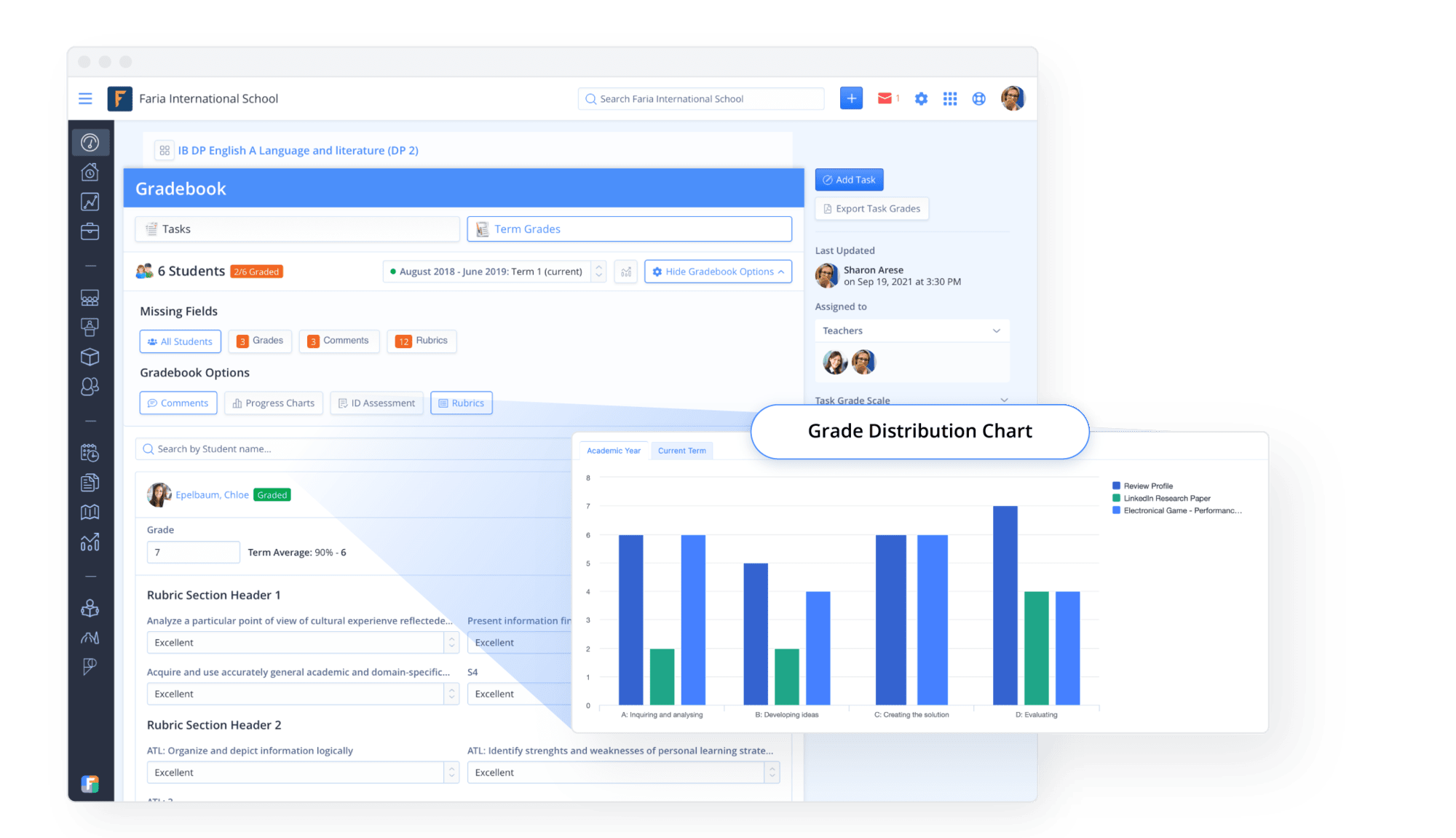 Built-in Error Checking
Powerful Gradebook Options to customise your Gradebook view in one-click (e.g. to show Interdisciplinary Assessment, show or hide Comments, etc.)
Built-in Error Checking
Powerful Gradebook Options to customise your Gradebook view in one-click (e.g. to show Interdisciplinary Assessment, show or hide Comments, etc.)
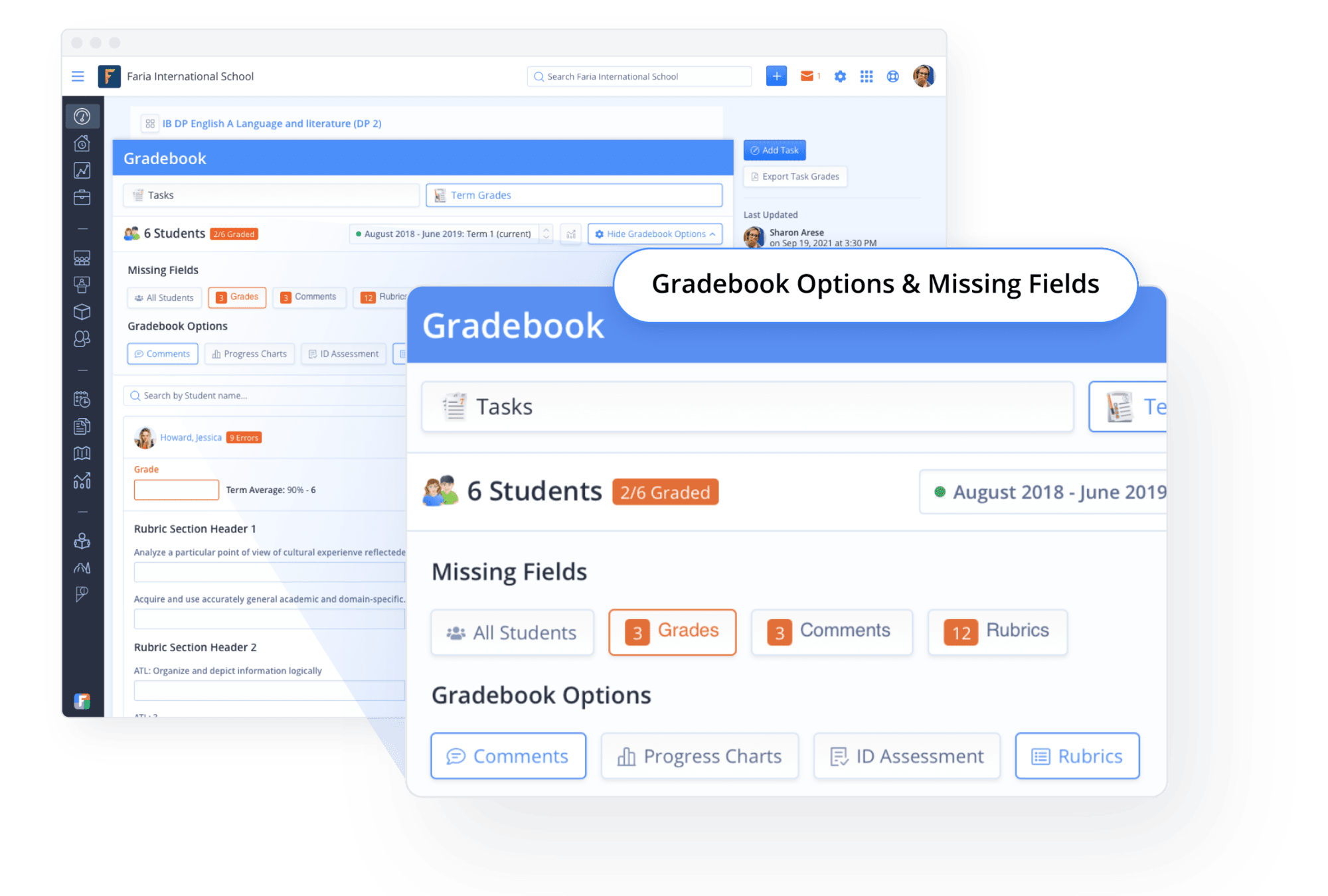 Error Checks to avoid embarrassment with Missing Grades, Comments and Inconsistent Student Names
Minimalist “Look & Feel” with simplified Rubrics & Grade Scales
Error Checks to avoid embarrassment with Missing Grades, Comments and Inconsistent Student Names
Minimalist “Look & Feel” with simplified Rubrics & Grade Scales
Mobile Gradebook Marking Anywhere, Anytime!

Fully optimised for iPad and Mobile to provide a seamless experience. Learn more about our most recent Mobile design update.
Like what you see?
If you’re looking for a way to streamline your assessment and reporting, ManageBac is for you! Contact our team to discuss how we can support your school.
Contact Sales